
Error Code: 7000-02-0027
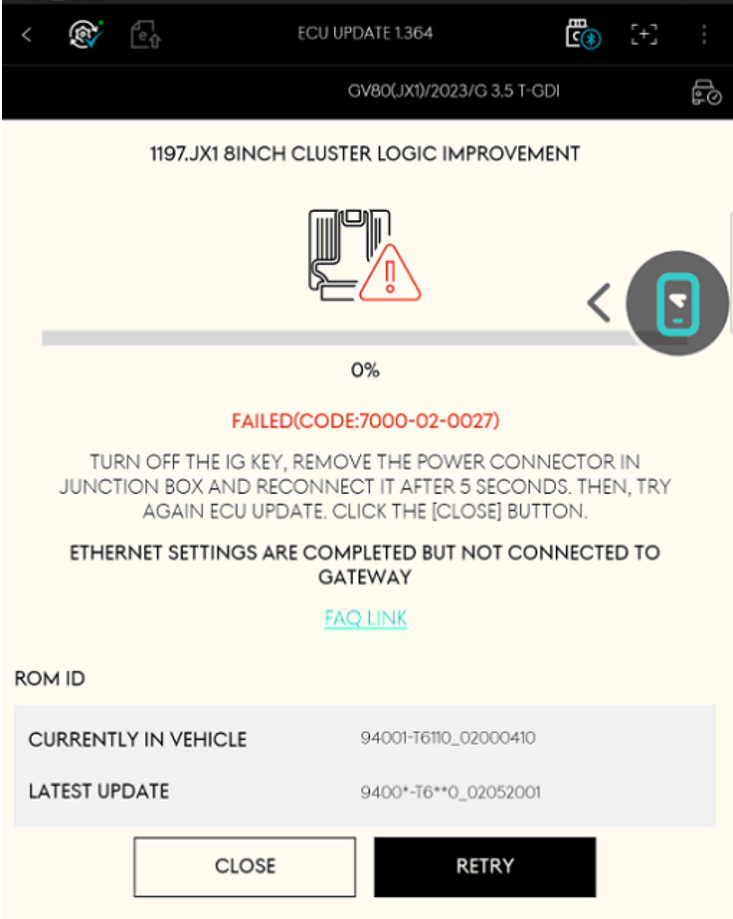
Cause of Error
This error occurs under the following condition:
※ A static IP address is configured, but a connection to the gateway has not been established.
In other words, the tablet network settings may appear normal, but the ECU upgrade fails because communication with the vehicle gateway cannot be established.
Solution
Ensure that all the following conditions are met, and then retry the upgrade several times in Manual Mode.
-
Check the VCI device connection
-
When using VCI2:
➝ Connect as follows: Tablet ↔ ECI Module ↔ VCI2 (wired connection only)
※ The green LED on the ECI module illuminates when the ECU upgrade starts. -
When using VCI3:
➝ Connect as follows: Tablet ↔ VCI3 (wired connection only)
-
-
Check the static IP settings on the tablet
-
Configure the connection to use a Static IP address, not DHCP
How to set a static IP address on the tablet -
Enter the correct IP address, subnet mask and gateway.
-
- Check the status of the ECU to be upgraded
- In [Spec Info], verify that the ECU to be upgraded is recognised correctly.
- In [DTC Check], confirm that the ECU is recognised and check whether any DTCs are present.
If the Upgrade Fails
-
Consider the possibility of a hardware failure.
➝ If available, test using a different VCI2, VCI3, ECI module or cable. -
Loose or damaged cables may also cause similar errors.
For additional guidance regarding device replacement or network settings, contact the Technical Support Centre:
USA
KIA 888-542-4371
HYUNDAI 888-437-0308
GENESIS 833-681-3926
CANADA
KIA 888-641-4244
HYUNDAI 888-641-4243
Comments
0 comments
Please sign in to leave a comment.