
F3 Error Code During Key Coding or Registration
Q1. Why is error code F3 displayed when attempting key coding or registration?
Q1. Why is error code F3 displayed when attempting key coding or registration?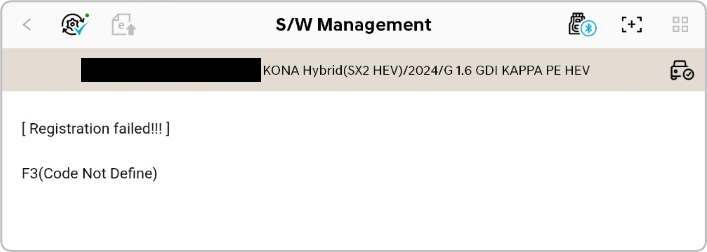
A. Error code F3 is displayed when vehicle security authentication fails.
Q2. How do I resolve the F3 error?
A. Complete the following steps, and then retry key coding:
- Verify that the tablet is connected to a network via Wi-Fi, LTE, or 5G.
- Log out of the KDS 2.0 app, and then close the app.
- Follow the instructions in the image below to delete the hidden file.
- Restart the KDS 2.0 app and log in.
- Retry the key registration function.
※ After accessing the 📁[XML] folder, select the 📁[HY] folder for Hyundai/Genesis or the 📁[KM] folder for Kia.
Comments
0 comments
Please sign in to leave a comment.